A rig editor for HeadRush Prime, Core and Flex Prime. It works over Wi-Fi with your unit and adds the editing the built-in editor doesn’t have.
What is it?
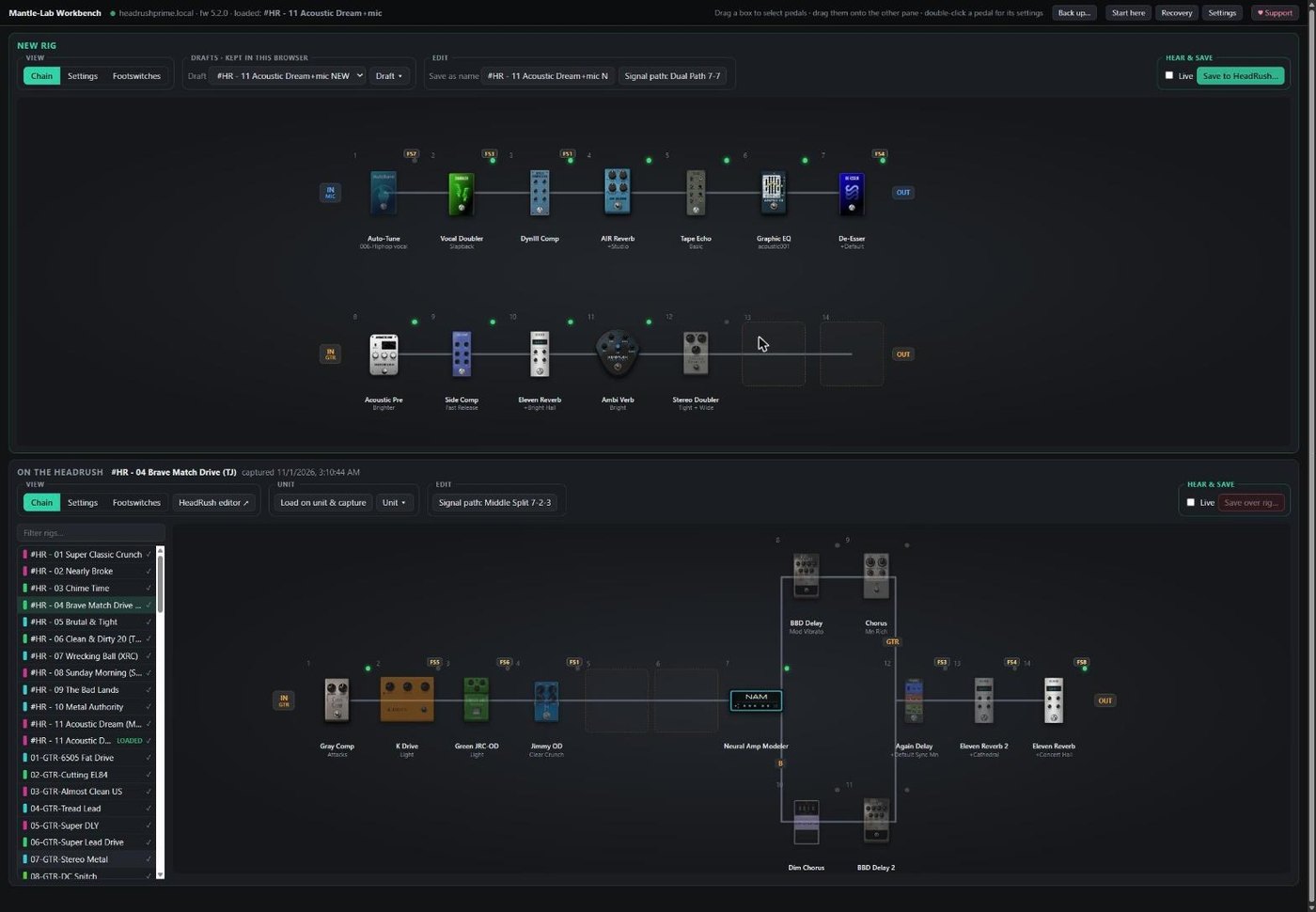
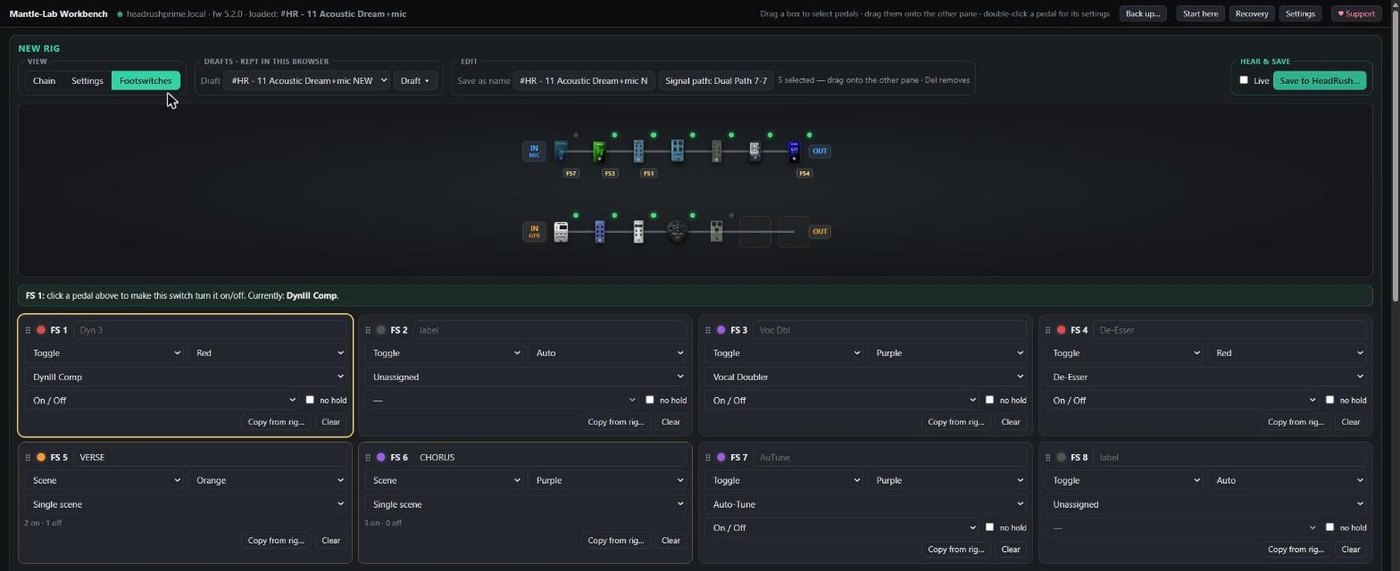
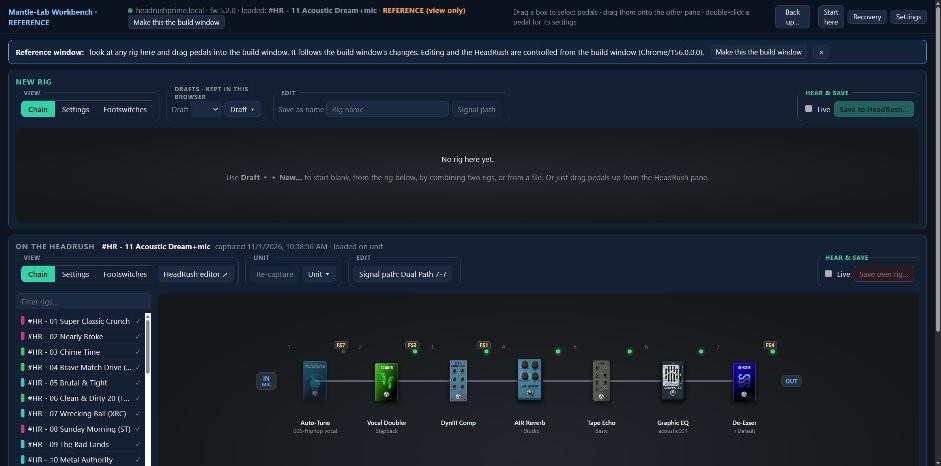
The HeadRush’s own editor works on one rig at a time. Mantle-Lab Workbench is a bench: put two rigs side by side, and move pedals, whole chains, footswitches and scenes between them. It runs on your computer, talks to your HeadRush over Wi-Fi, and opens in your web browser.
The workspace
How it’s built
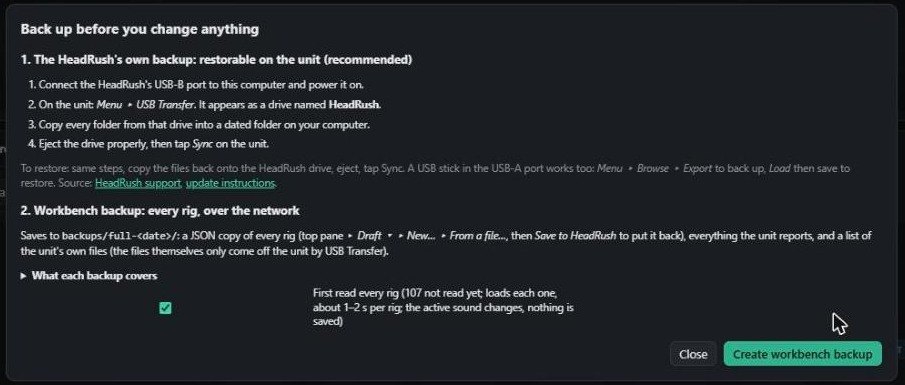
- Your rigs come first. It never removes or renames rigs, and never touches setlists or global settings. Anything that would overwrite a rig makes a backup first, on the unit and on your computer.
- One window in charge, as many to look at as you like. Only one window can change the unit at a time. Open as many reference windows as you want for looking at other rigs; they look clearly different, so you always know which one is in control.
- Plain and mistake-proof. Plain language, clear warnings before anything permanent, and it works from the keyboard and with screen readers.
- Your unit, your data. Pedal images and signal-path layouts come from your own HeadRush. No account, nothing tracked, nothing leaves your computer.
- Alongside HeadRush’s own tools, not instead of them. Firmware upgrades and the unit’s own backup stay with HeadRush’s tools. The workbench edits rigs.
- Your browser, your business. It never reaches into your browser’s tabs or history.
Pedal, amp and cab images in these screenshots come from the HeadRush unit and are the property of inMusic Brands.
How-to videos
Step-by-step workflow videos are in the works, starting with your first backup. They’ll appear here as they’re ready, and each one will also be posted in the Mantle-Lab Workbench Community on Facebook.
What it does
- Two rigs side by side: a draft on top and a rig from your unit below, laid out the way your unit’s own editor draws them.
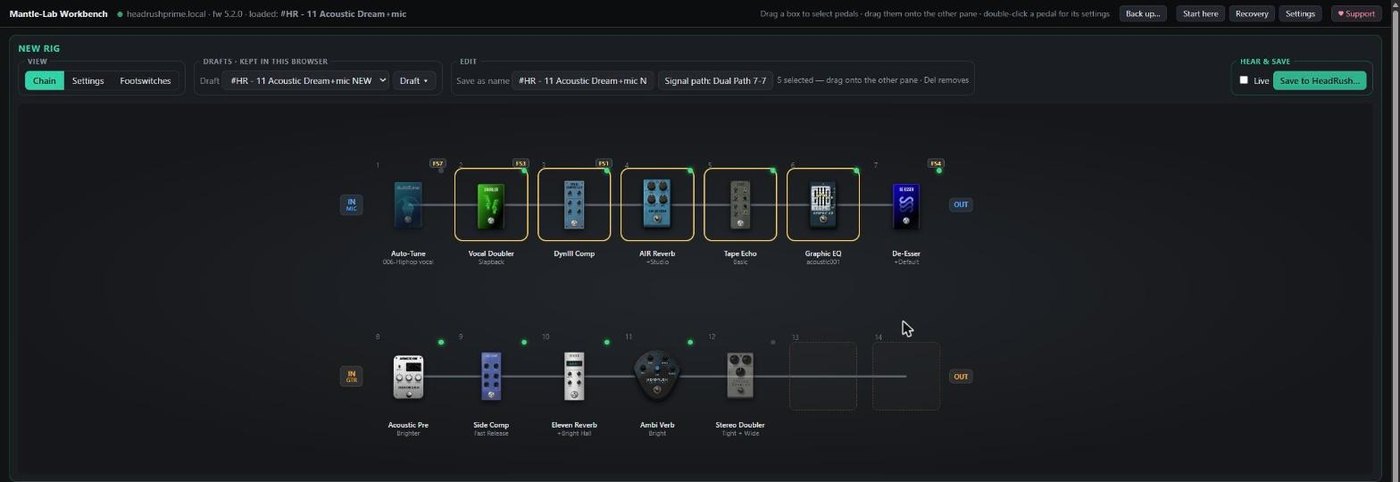
- Drag and drop: choose pedals or whole chains and drag them between rigs, settings included. If they don’t fit, it suggests a layout that does.
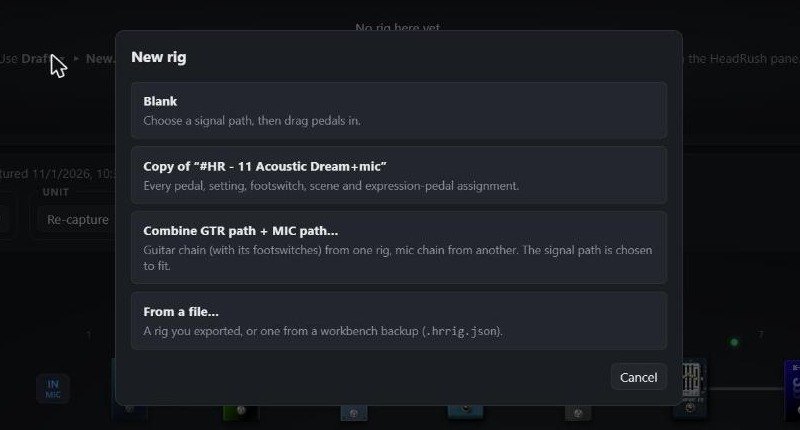
- Combine: build one rig using the guitar path of one rig and the mic path of another, in one step.
- Footswitches, scenes and expression pedals: assign, swap and copy them between rigs. Scenes follow the pedals when they move.
- Safe saving: save a draft as a new rig, or over an existing one. A backup copy is made first, on the unit and on your computer.
- Guard rails: it never removes or renames rigs, and never touches setlists or global settings.
What you need
- A HeadRush Prime, Core or Flex Prime on firmware 5.x. (The Pedalboard, Gigboard, MX5 and Looperboard don’t have the network connection it uses.)
- Windows 10 or 11 (64-bit), a Mac (macOS 11 or newer, Apple Silicon or Intel), or Linux (64-bit, beta).
- Your computer and your HeadRush on the same Wi-Fi network.
- Before you start: make sure your computer can open your HeadRush’s own original editor in a browser over Wi-Fi (at headrushprime.local or the unit’s IP address). If that doesn’t work, the workbench can’t connect either.
- A web browser: Chrome, Edge, Firefox or DuckDuckGo. The workbench opens in it.
Install
Get the file for your system from the box at the bottom of this page, then follow the steps for Windows, Mac or Linux below.
Windows
Run the Setup file, then:
- Run the Setup file you downloaded.
- Choose where to install it and where to keep your backups, then click Install.
- Click the Mantle-Lab Workbench icon. It opens in your browser and runs from a small icon by the clock. Close the browser tab when you’re done and it stops by itself a few minutes later.
- First time: click Back up… in the workbench and follow the steps.
“Windows protected your PC”? The workbench isn’t code-signed yet (signing certificates cost money; if the project takes off, it will be). Windows shows this warning for any unsigned download. Click More info, then Run anyway.
Mac
- Open the .dmg you downloaded and drag Mantle-Lab Workbench to your Applications folder.
- The first time, macOS will block it, because the app isn’t signed with an Apple developer certificate (that costs money; if the project takes off, it will be). Open System Settings, then Privacy & Security, scroll to Security and click Open Anyway. On macOS 15 and newer, right-click, Open no longer works.
- Allow the Local Network and Documents access when macOS asks. The workbench needs them to find your HeadRush and save your backups.
- Look for the icon in the menu bar at the top of the screen. (On a Mac with a notch it can hide behind the notch if the menu bar is crowded.) Close the browser tab when you’re done and the workbench stops by itself a few minutes later.
Linux (beta)
The Linux version is a beta: I’ve only tested it on my own dev box, so it may need a little adjusting on your system. If something doesn’t work, tell us in the community.
- Extract the .tar.gz and read READ ME FIRST.txt (it lists what the package assumes about your system).
- Open a terminal in the extracted folder and run ./install.sh. It installs for your user only and adds Mantle-Lab Workbench to your applications menu.
- There is no tray icon on Linux. Close the browser tab when you’re done and it stops by itself a few minutes later.
Before you try the workbench: make sure you can reach your HeadRush’s original editor from this computer, and close that editor first. The unit allows only one editor connection at a time.
If it can’t find your HeadRush
- Make sure your computer and your HeadRush are on the same Wi-Fi network. For setting up Wi-Fi on the HeadRush, see HeadRush support or your unit’s user guide, for example the HeadRush Prime User Guide.
- Click the Mantle-Lab Workbench icon.
- Still not found? In the workbench, open Settings ▸ HeadRush address, enter the unit’s IP address (shown in its Wi-Fi settings) and click Test.
Extra workbench tabs?
Some browsers reopen your last session’s tabs when they start (DuckDuckGo does by default; Chrome and Edge do if “Continue where you left off” is on), so old workbench tabs come back next to the new one.
Your browser, your business. The workbench doesn’t reach into your browser to close tabs or read your history. That’s your private business, not the app’s. So the choice is yours: use an extra tab as a reference window (for looking at other rigs and dragging pedals into the build window), or close it. Or (recommended) set your browser to open a new tab or window on start-up instead of the last session; it’s also more private and secure. Where that setting is differs by browser: look for “On start-up” in its settings, or see its help pages.
Join the community
The Mantle-Lab Workbench Community is a Facebook group for everyone using the Workbench: ask questions, report bugs, share your rigs and workflows, and swap ideas. I read it and answer as best I can. I’d love to see how you use the tool, so post your rigs and tell us what you built.
Join the Mantle-Lab Workbench Community on Facebook. You’ll also find it behind the Facebook (f) icon at the top right of every page on this site.
House rules, in short: be kind, no politics or religion, no violence or hate speech, stay on topic, no spam or piracy, respect privacy, and help each other.
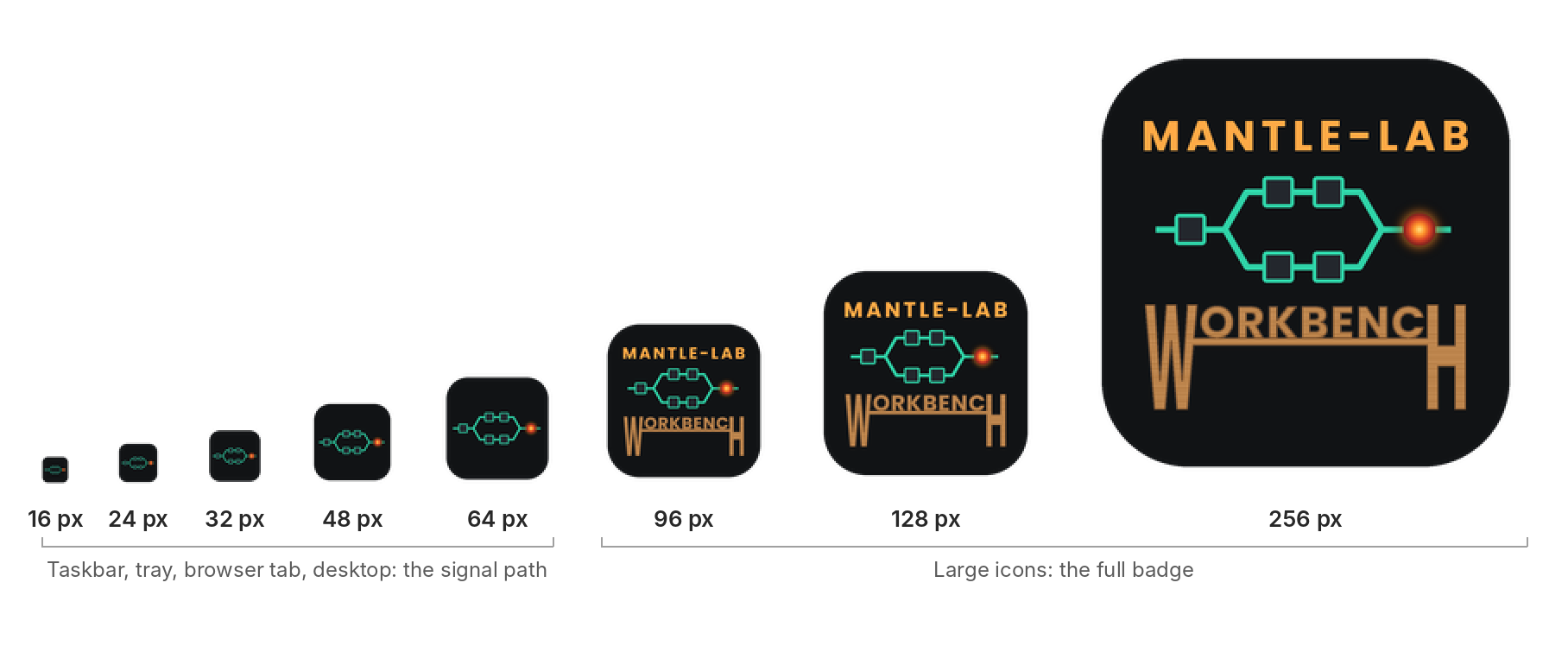
One icon, every size
Windows shows an app’s icon at many sizes. Below about 96 pixels the words can’t be read, so the small sizes show just the signal path, and the full badge appears where there’s room for it.
Download Mantle-Lab Workbench
Version 0.22.0 · free / pay what you want
Choose your system:
Name your price:
The download comes from GitHub. Payments go through PayPal’s donate page: no PayPal account needed, cards work too.
What you’re supporting: I’ll do my best to keep the workbench working with future HeadRush firmware releases. I’m not affiliated with HeadRush or inMusic, so it can only be a best effort. If an update ever breaks something, I already have ideas for handling exactly that: check this page and I’ll post instructions. Your support also pays for what’s next: keeping the Mac and Linux versions up to date, and a growing library of how-to and workflow videos.
P.S. inMusic, that’s not a challenge! I’m a huge fan of your interface, and allowing access to the API is genius.
HeadRush is a trademark of inMusic Brands. Mantle-Lab is not (yet!) affiliated with or endorsed by inMusic.